Exposure
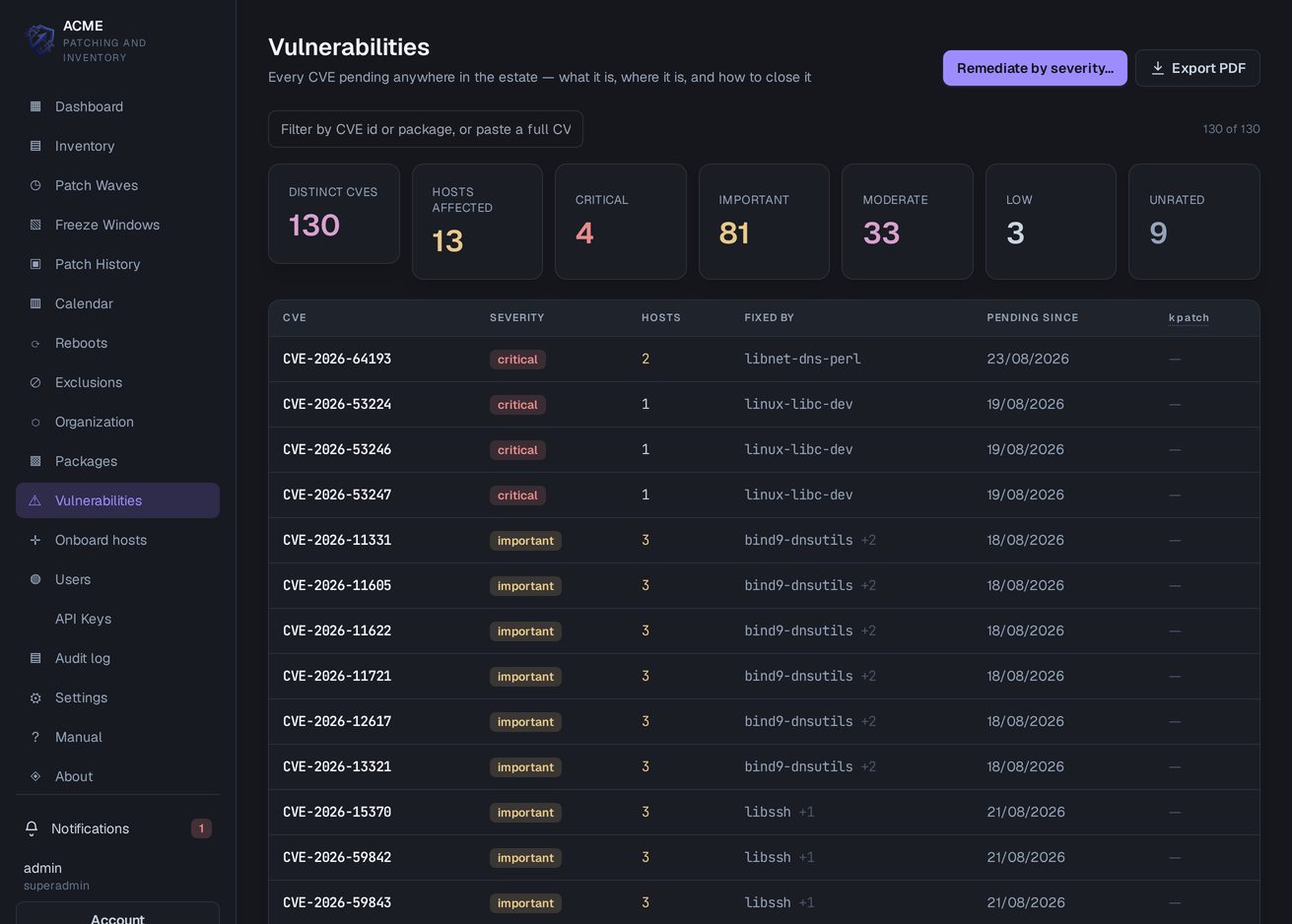
A register of every CVE in the estate
Every CVE reported by an enrolled host on one page, counted by severity: how many machines carry it, which package closes it, and how long it has been pending. Each row opens on the hosts it affects.
 PatchWardLinux Patching & Inventory
Request an evaluation
PatchWardLinux Patching & Inventory
Request an evaluation
Version 1.4 · self-hosted
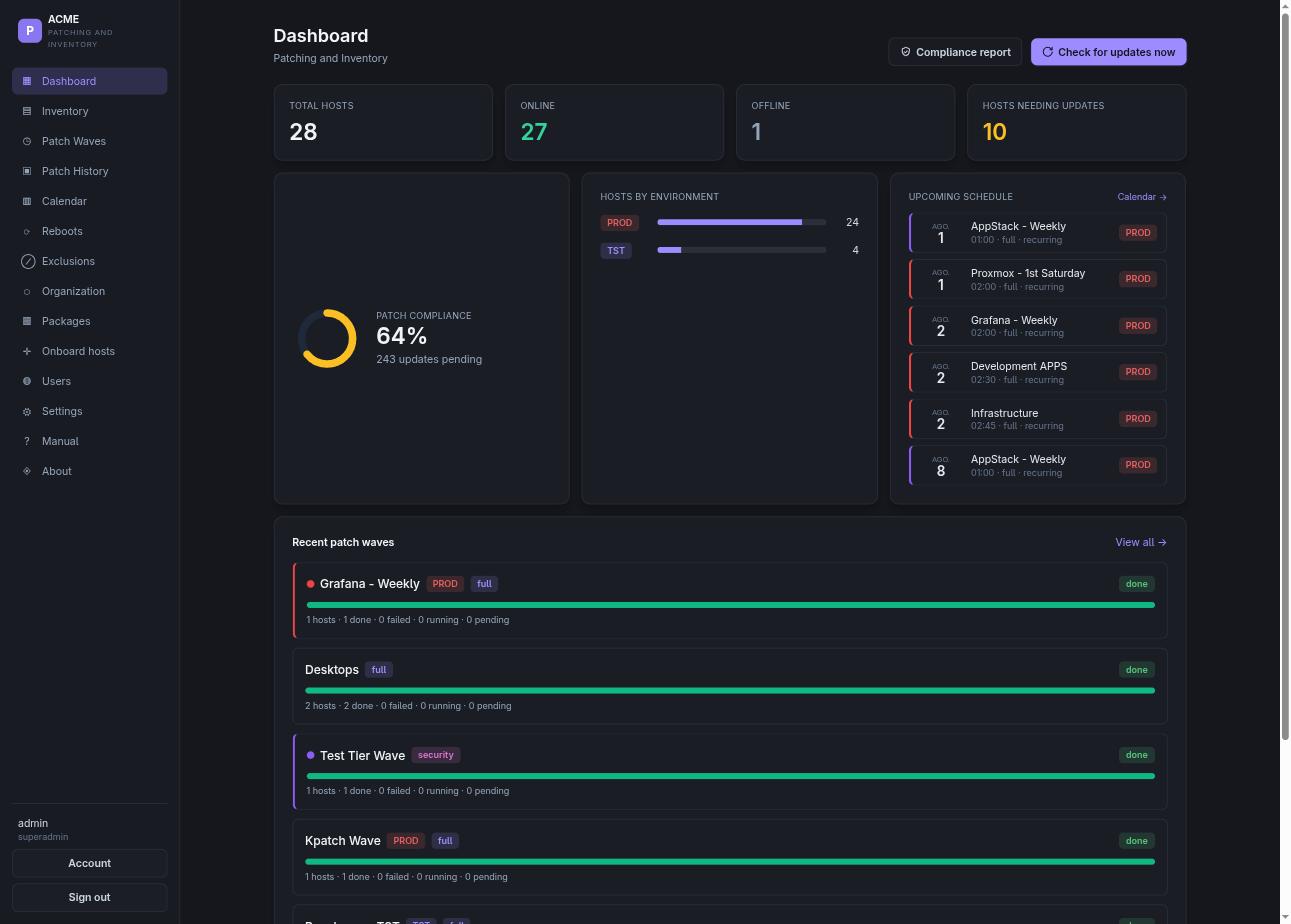
A single agent on each host reports what is installed and what is missing. Work is scheduled in waves; PatchWard executes them, confirms that every host has returned to service, and records what changed, package by package and host by host.
Debian · Ubuntu · RHEL · Rocky · Alma · SUSE · Arch
Screenshots
Inventory, waves, execution history, calendar and the printable report.
Detail
Vulnerability data for every distribution that publishes it, package consistency across the estate, change freezes, directory sign-in, and a database that can be backed up and restored.
Exposure
Every CVE reported by an enrolled host on one page, counted by severity: how many machines carry it, which package closes it, and how long it has been pending. Each row opens on the hosts it affects.
Remediation
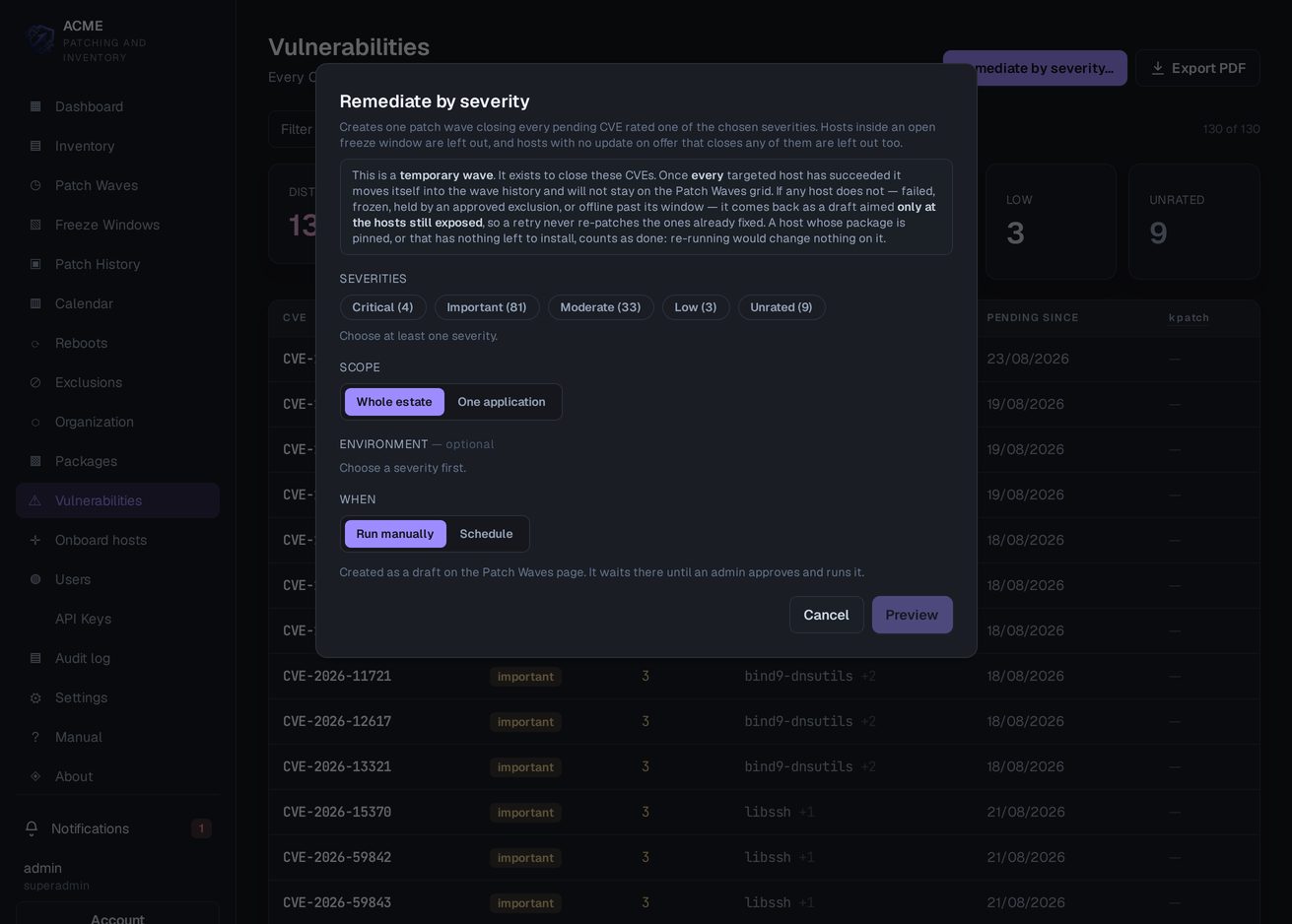
An entire severity tier can be closed in one action, across the estate or inside one application, run manually or on a date. It creates a patch wave, so approval, the freeze calendar and the schedule apply to it exactly as they do to any other run.
A wave that succeeds on every host moves into the wave history by itself. Where it does not, it returns as a draft aimed only at the hosts still exposed, so a retry never patches a machine that is already fixed.
Consistency
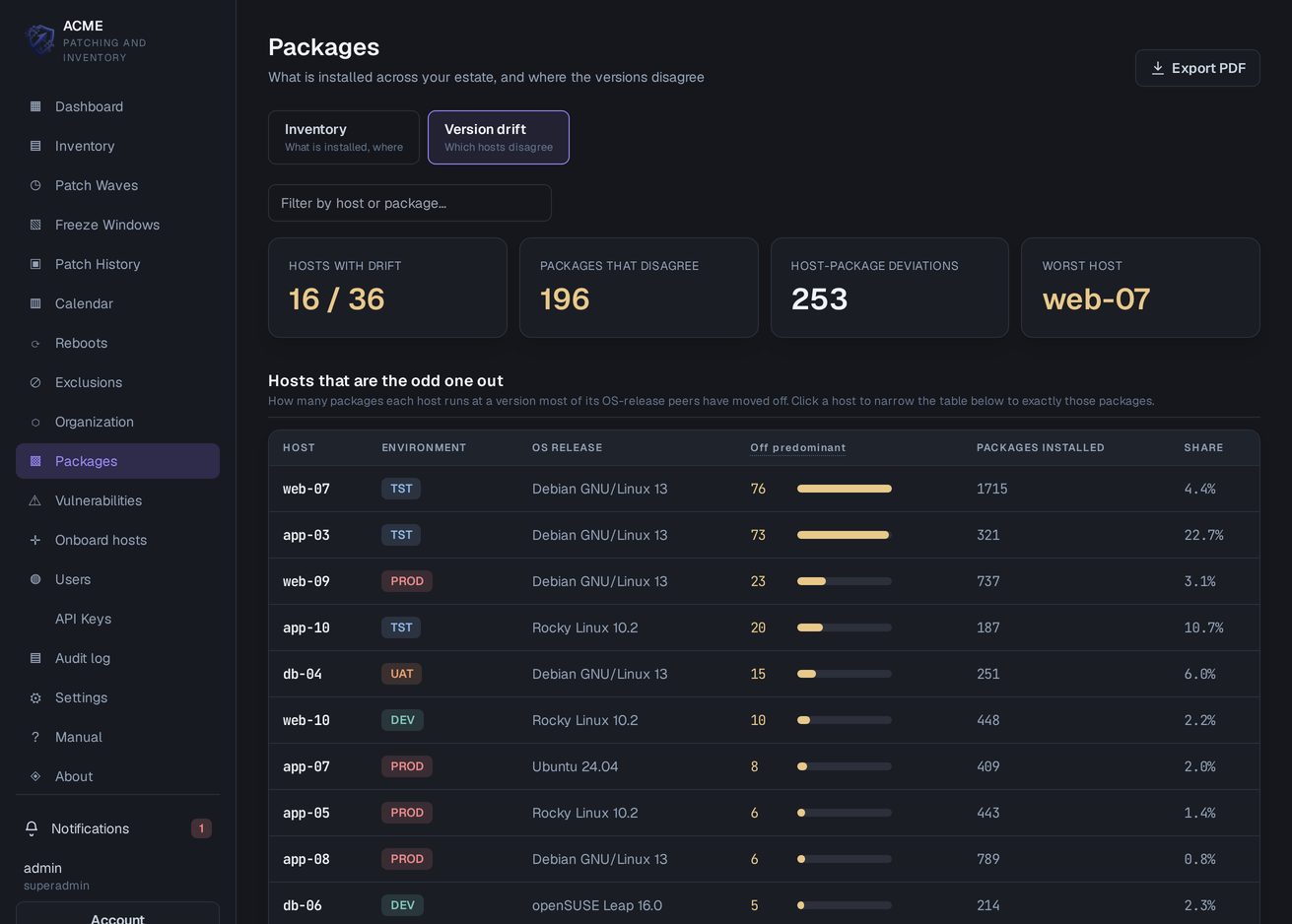
The inventory answers which versions of a package are installed and on which machines. A host running something other than the version most of its peers on the same release run is reported as drift, named rather than counted, and a single action brings every host that differs back to it.
A pinned package, whether company-wide, by group or on a single host, is left out of what a wave installs, while remaining visible to the inventory and to CVE reporting.
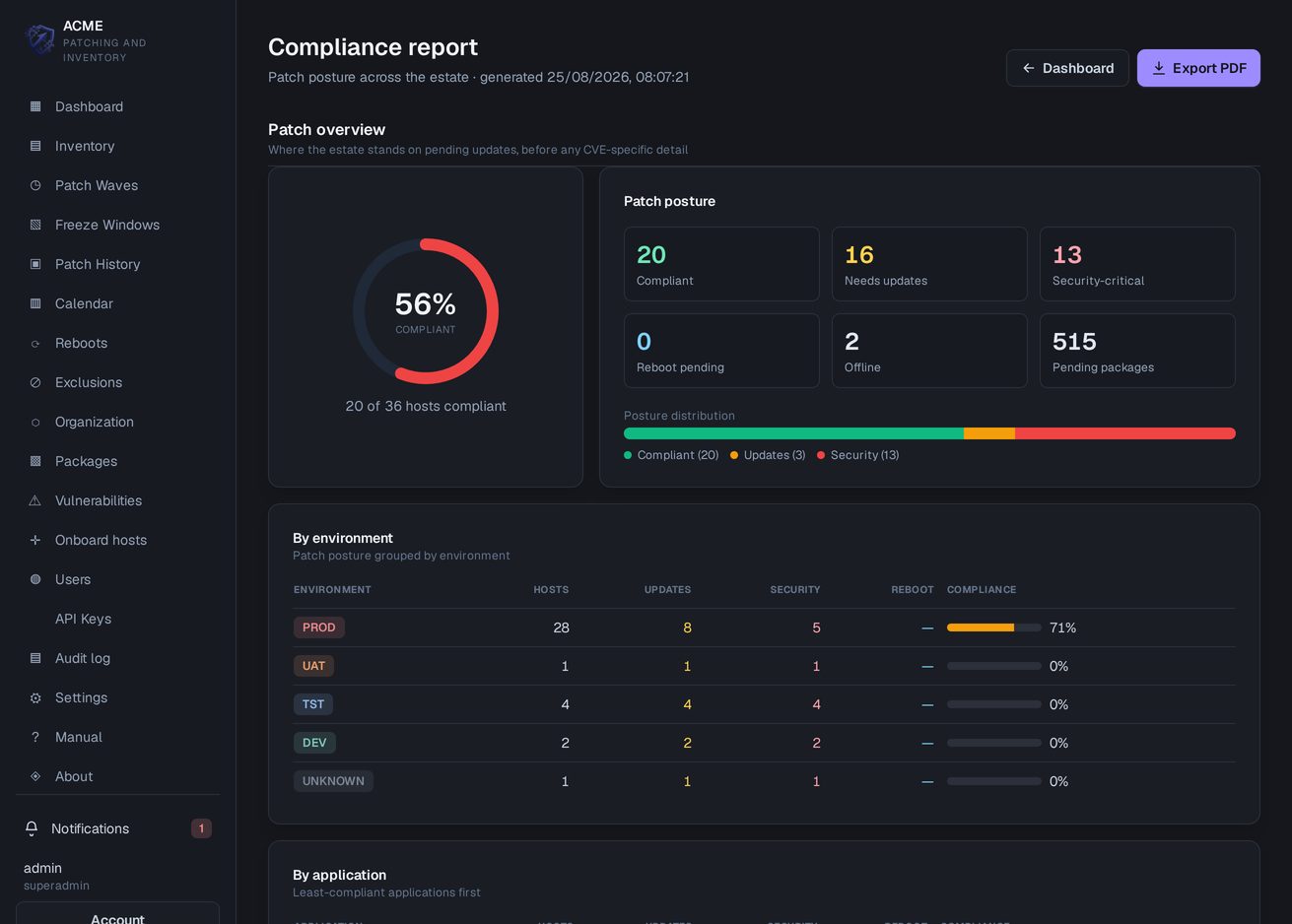
Measurement
Coverage is reported by environment and by application, with a 30-day or 90-day trend. Time to remediate and the SLA compliance rate are calculated per severity from the remediation events themselves, and the update SLA and the CVE SLA are separate measures with their own thresholds and their own switch: turned off, a measure does not appear in the report.
Open items are aged in buckets from under 30 days to over 180, and every host is checked against the published end-of-life date for its release.
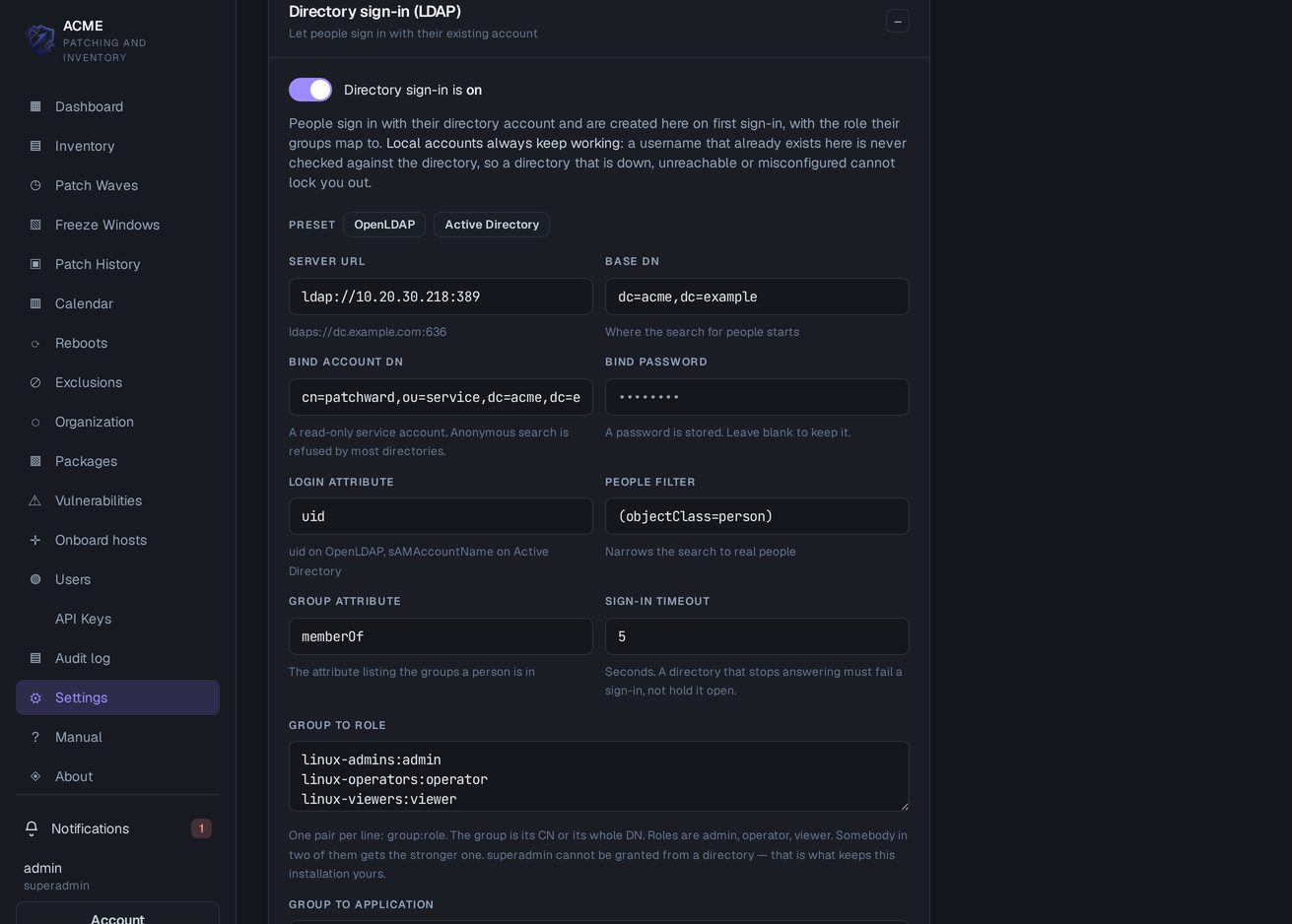
Identity
Active Directory or any other LDAP directory. An account is created here on first sign-in and takes the role its directory groups map to, one pair per line, so joining a team in the directory is the whole of granting access here.
Two rules make it safe to switch on. Local accounts always keep working: a username that already exists here is never checked against the directory, so one that is down, unreachable or misconfigured cannot lock anybody out. And a directory can never grant superadmin: that role is not in the mapping at all, so the directory cannot take over the installation.
On RHEL, Rocky, Alma and SUSE the agent reads the advisories the package manager already carries, which adds no network access to a host that can reach its repositories. Debian and Ubuntu are matched by the server against the DSA, DLA and USN lists the distributions publish. The server fetches those lists only after an administrator turns the feature on, through a proxy where one is required, and this is the only part of the product that contacts anything outside the network.
Arch has no security channel to read and CentOS Stream publishes no errata at all. A host of that kind reports its CVE count as unknown rather than as zero, because the two read identically on a screen and mean opposite things.
A named window during which the hosts it covers are neither patched nor rebooted: month end, a holiday, a release weekend. Fixed dates or a recurrence, targeting the whole company down to a single host, and enforced at every path that can create a job rather than at the schedule alone.
A host inside a window is recorded as skipped rather than counted as patched, and an administrator who has to breach one writes a reason that stays on the run.
Every consequential action is written to an append-only audit log that keeps the name of what it touched beside its identifier, so a host deleted a year ago is still legible.
Automation is given a credential of its own rather than a person's: an API key that does not expire and is revoked the day the system holding it is decommissioned.
Wave results, approvals waiting on somebody, hosts that have stopped reporting and agents left behind a version are delivered by email, by webhook and in the console itself.
A notification describing a state is rewritten as that state changes and removed once it no longer holds, rather than leaving behind a line that was true last week.
A wave can run a command on the host before and after it patches, to quiesce a service and check it afterwards. A failed command before the patch stops the run before anything is installed; a failed one after it is recorded and does not turn a successful patch into a failure. Setting either requires an administrator, even where an operator may edit the rest of the wave.
A host that failed can be retried once, by hand, from the wave's own report.
The console, the API and every agent speak TLS, with a private certificate authority created at installation. The agent verifies against the authority file it was given rather than the system trust store, and refuses a plaintext address even when the server offers one.
The database is backed up on demand or on a schedule with a retention count, and restored from a backup already on the server or from a file uploaded to it.
Capabilities
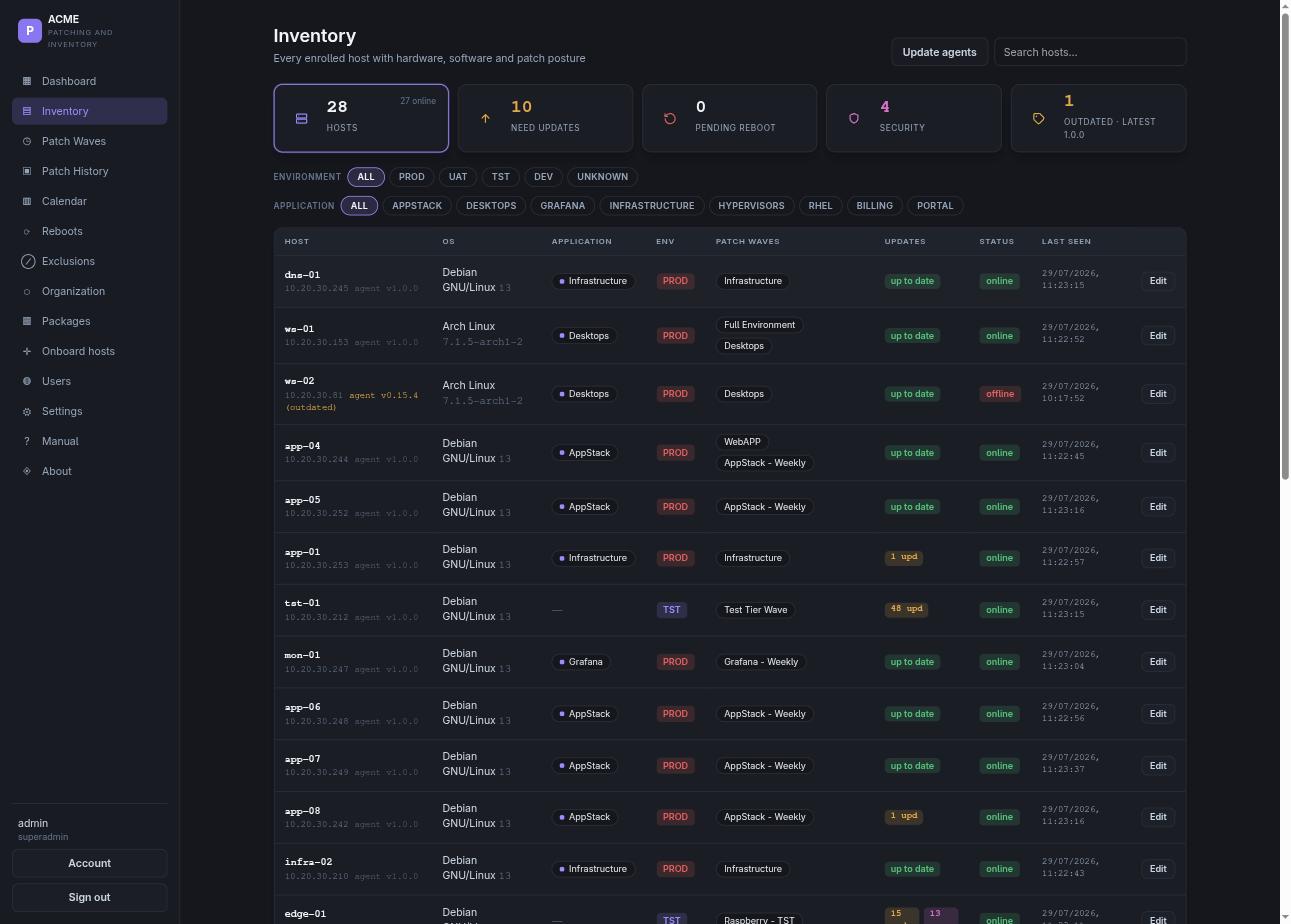
Know
Hardware, operating system, kernel, packages, pending updates and systemd services for every enrolled host. Refreshed on a schedule and again after each patch run, so the data acted upon is the state of the machine rather than a manually maintained record.
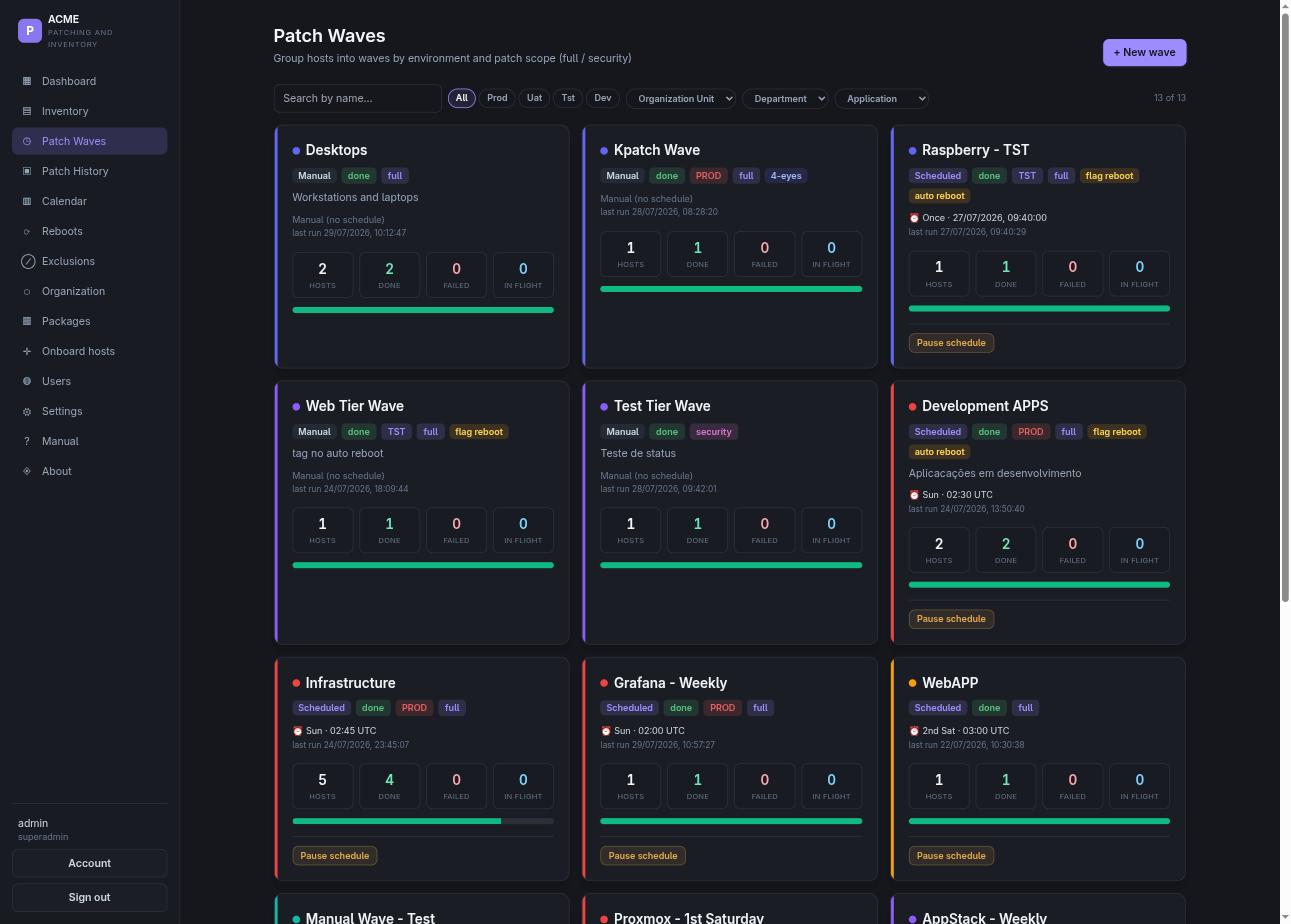
Act
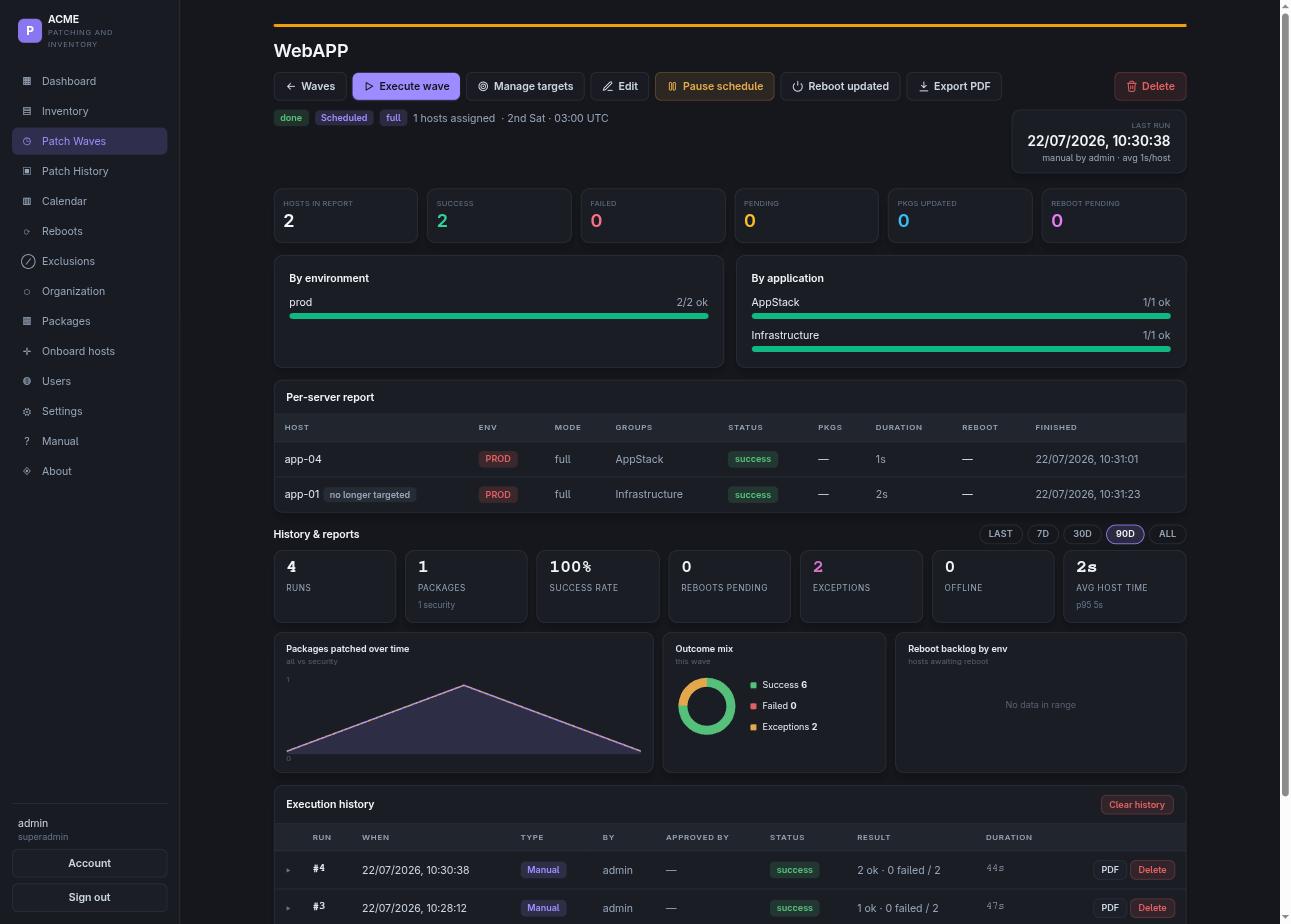
Hosts are grouped by environment, application or organization unit, with scope set to all available updates or security updates only. Waves can be scheduled once, weekly or monthly, suspended during a change freeze, and gated behind the four-eyes principle, which requires a second person to approve the run before any package is installed. A wave triggered twice does not patch the same host twice.
Verify
Not at the point the command is issued. PatchWard waits for the agent to report a new boot id, then records the time of return and the uptime since. Outstanding reboots remain visible until they are completed.
Governance
Patching touches production, so both questions have a written answer.
Access control
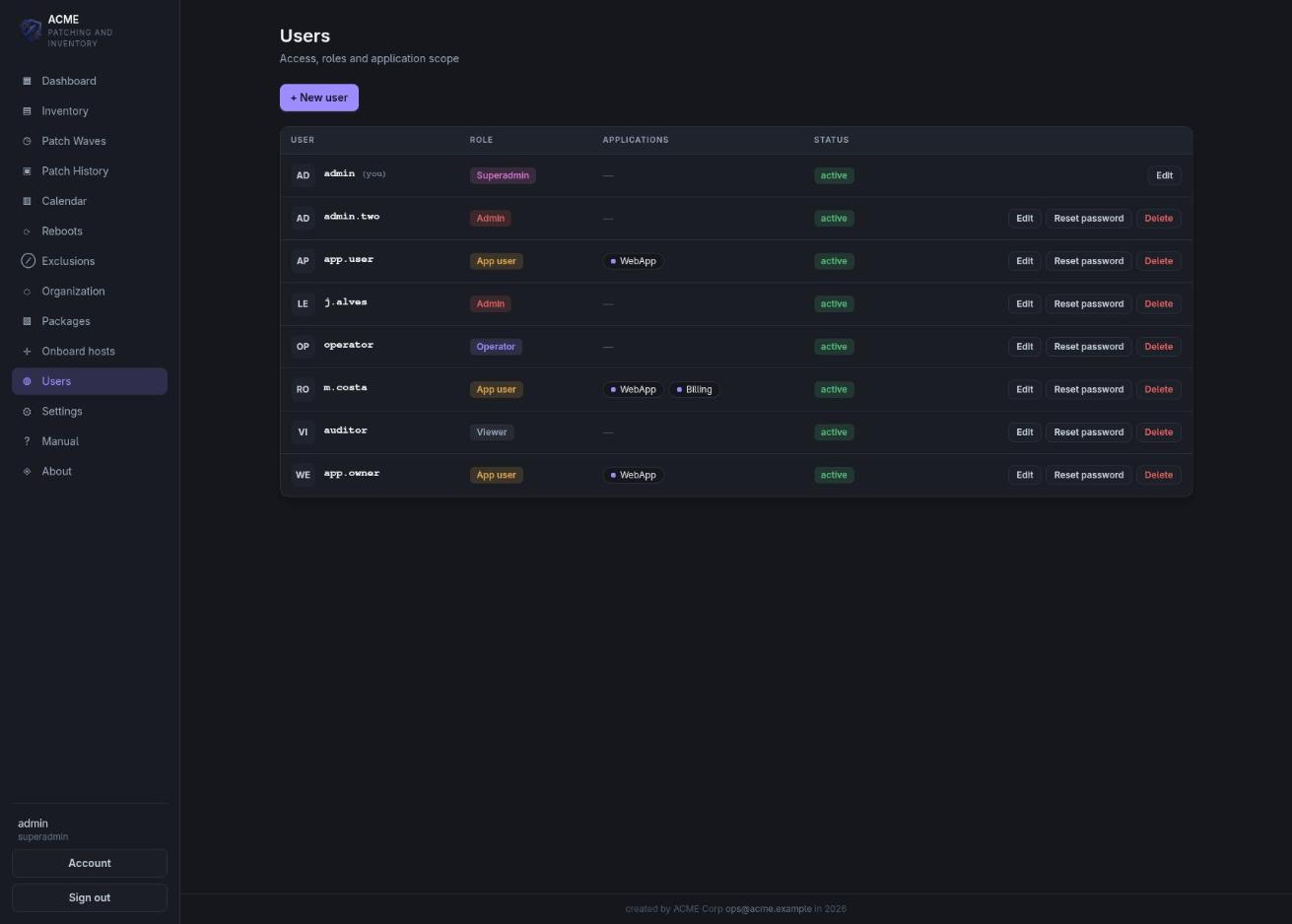
Viewer has read and print access only. Application user sees only the servers belonging to the applications they own and may request an exception. Operator creates and executes waves. Admin approves runs and administers users. Superadmin additionally controls company branding and licensing.
Every account is scoped to the applications it belongs to: a team lead opens the console and sees the systems under their responsibility, not the entire estate.
Exceptions
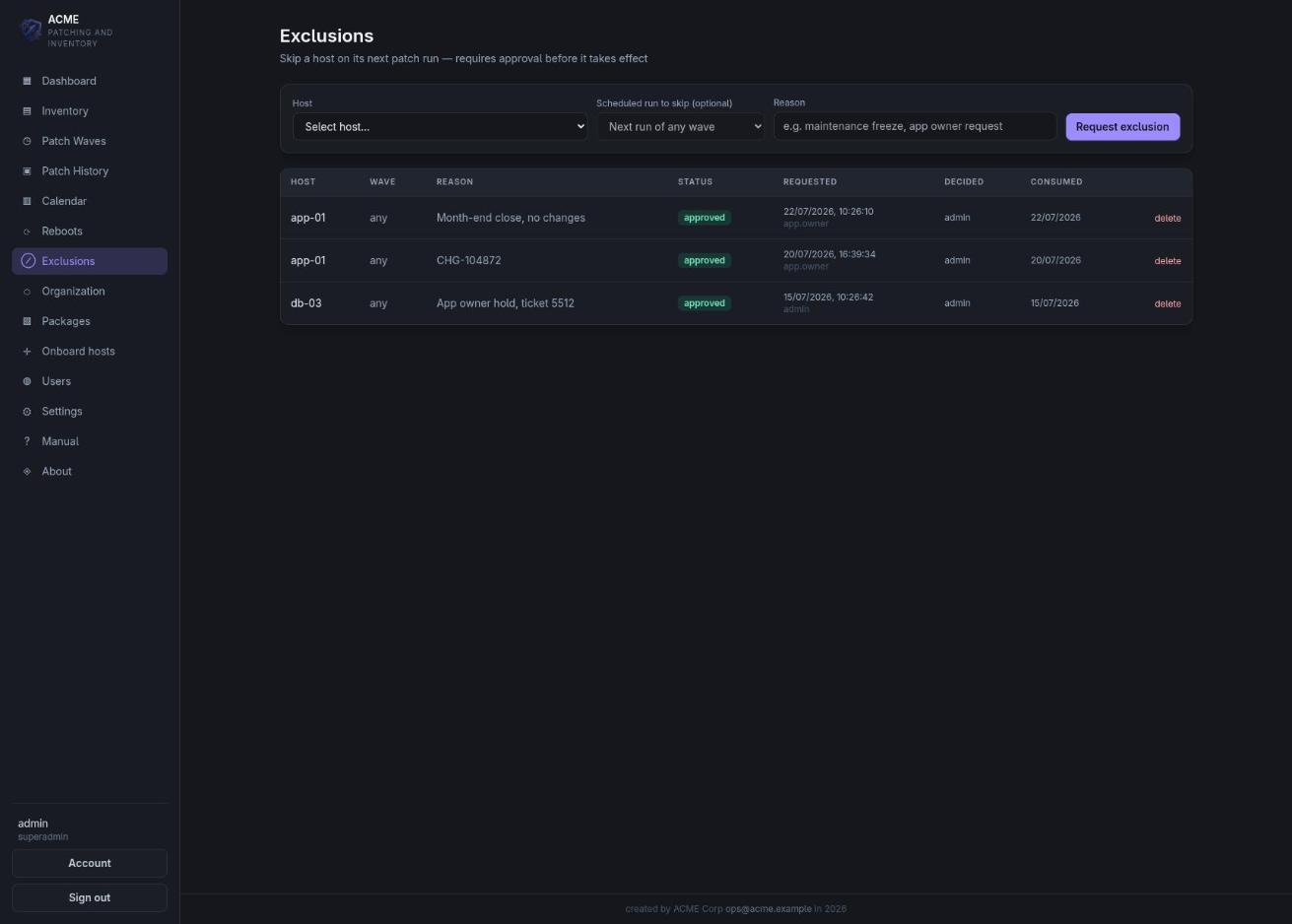
The application owner submits the request with a justification, such as a change freeze, a ticket reference or a month-end close, and an administrator approves or rejects it. Once approved, the host is skipped on its next run and the exception is consumed, so it cannot become a permanent exclusion that no one remembers granting.
The requester, the justification, the approver and the run that consumed the exception are all retained, and the skipped host is reported as an exception rather than counted as patched.
Operation
The same five steps in every cycle, from five hosts to several thousand.
The console connects to the host over SSH, installs the agent and begins receiving reports within a minute, with the log streamed live.
Each agent reports inventory and pending updates on its own cadence, or on demand when an immediate refresh is required.
Hosts are assigned to a wave with a defined scope and window, such as the test tier on Tuesday and production on the second Saturday, in line with the change process.
The wave dispatches one job per host, each with a live console and per-host outcomes as they complete. Kernel CVEs can be applied without a reboot through kpatch on RPM hosts.
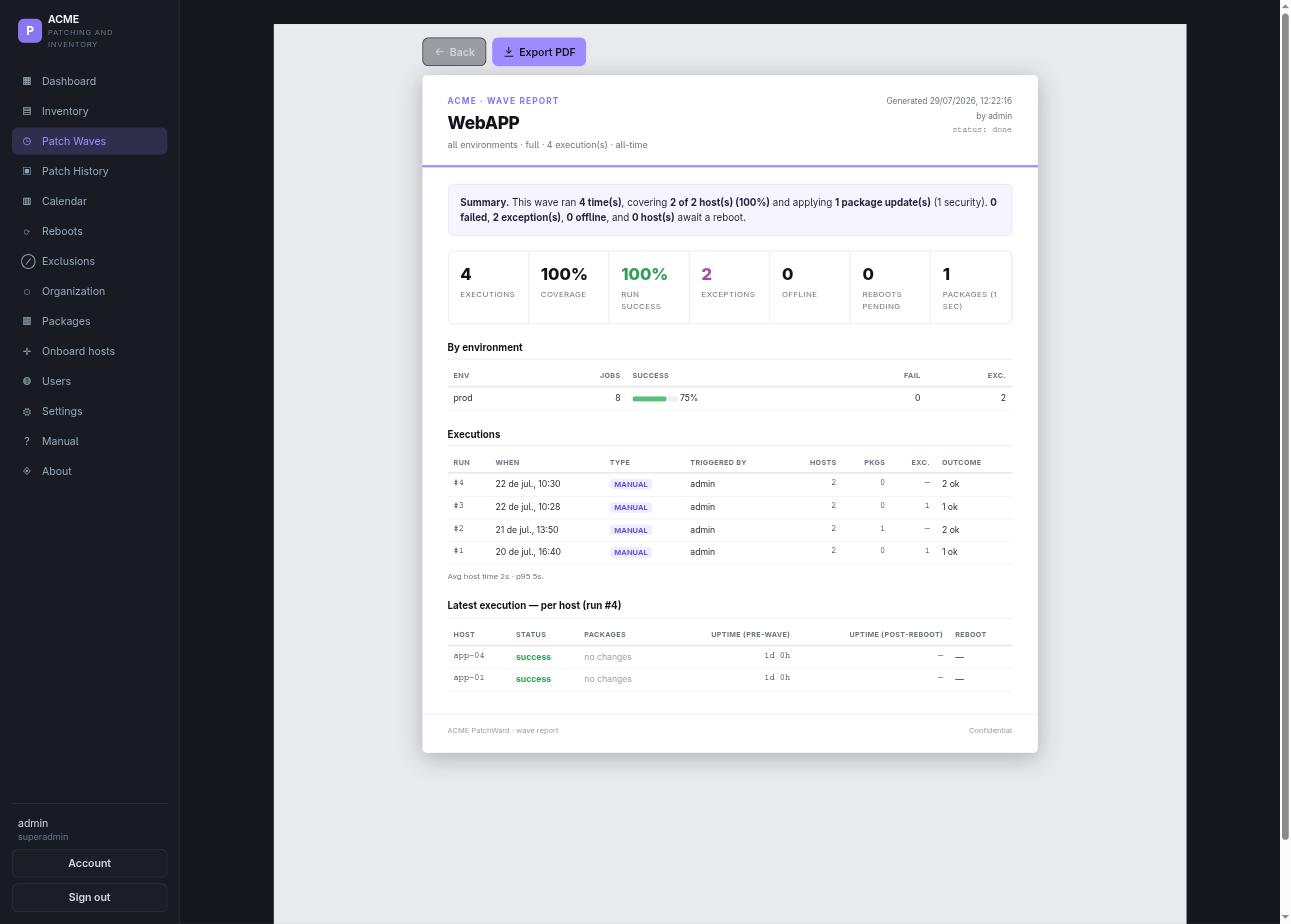
Coverage, failures, pending reboots and the exact version changes, printable for the auditor, the service owner or the next engineer on call.
Evidence
Every execution is recorded and printable: the host, the package, the version before and after, who triggered the run and who approved it. Coverage and success rate for the window, the hosts that failed, and the reboots still outstanding.
No prepared demonstration data. You install it on a machine you control, onboard your own hosts and run a real patch window with it. Tell me roughly how many hosts you have and which distributions they run, and I will send you the installation bundle.
Request an evaluationleandro.gomes@patchward.net · no sales call, no form, no account
FAQ
Three containers on a single machine, the console, the API and PostgreSQL, from pre-built images. There is no build step and no internet access is required on that machine. Managed hosts receive a single agent, deployed from the console over SSH.
Agents communicate only with your own server. There is no telemetry, no outbound reporting and no account to create. The one exception is the Debian and Ubuntu advisory lists, which the server fetches only after you turn that feature on, through a proxy if you need one.
Debian and Ubuntu, RHEL, Rocky, Alma and CentOS Stream, SUSE, and Arch. Kernel live-patching through kpatch on the RPM family.
Stop the three containers and drop the volume. On each host the agent is a single systemd service and one directory, and the console can remove it.